
A notes widget for your Windows desktop
Spacedash's Notes widget is a small notebook on your Windows desktop. It lists your notes, opens one to edit when you tap it, and saves as you type. It's free and the notes stay on your PC.
It holds many notes, not one sticky note per tile.
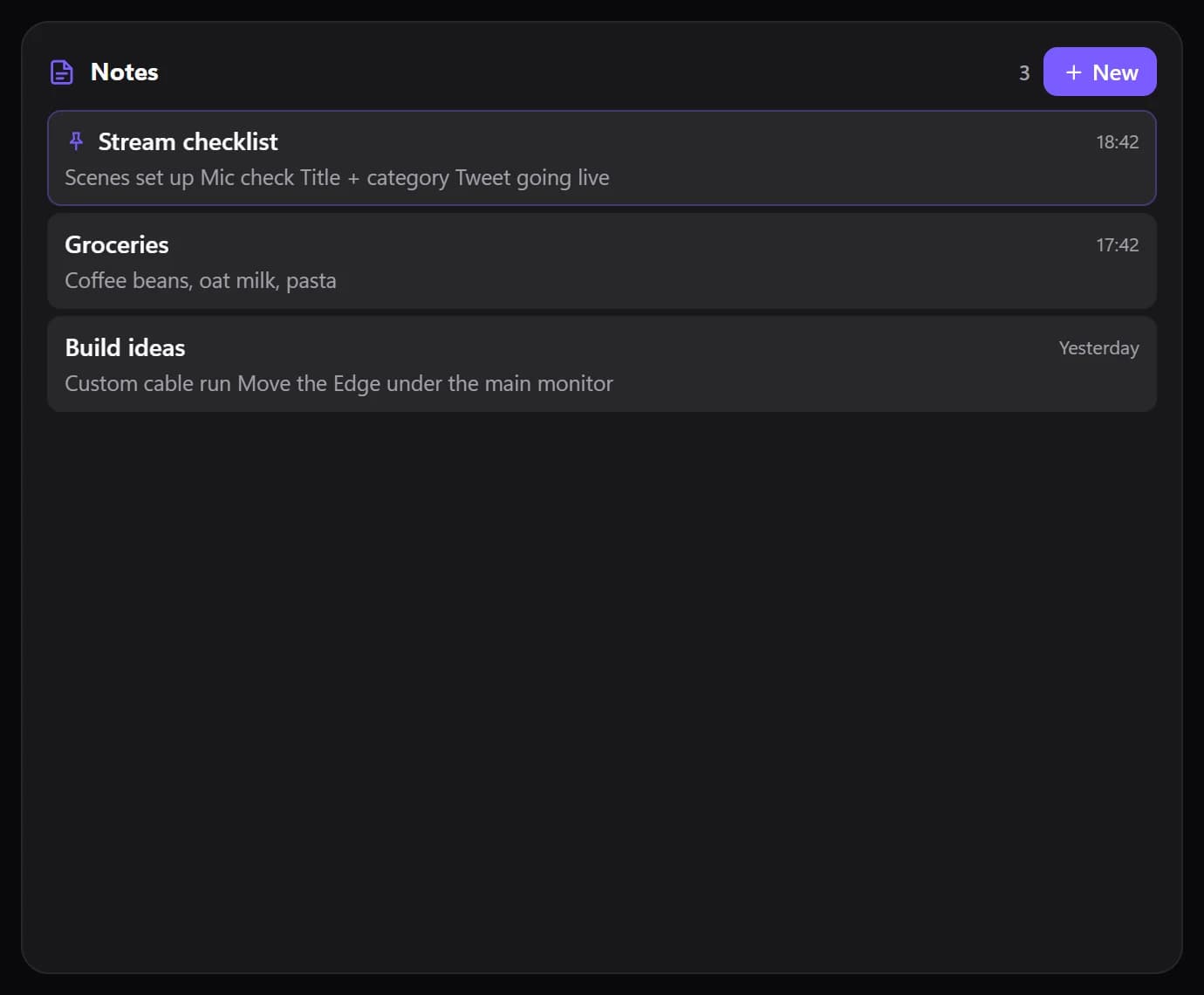
Shown at its default size, with sample data.
What it shows
Your notes as a list
Each note's name, its date and a line of its text, with a count and a New button at the top.
An editor in the tile
Tap a note for its title and body, with Back, Pin and Delete.
Order and search
Sort by last edited, newest or A to Z, and switch on a search box.
Pinned notes
Pin a note to keep it at the top of the list.
Where your notes are kept
Notes are saved in Spacedash's settings on your PC, about a second after you stop typing. There is no account and nothing is uploaded.
Every Notes tile shows the same notebook, so a note written on one monitor is there on another, and on the XENEON EDGE.
Setups that use it
Desk planner
Notes beside Tasks and the calendar, with the clock on top.
Meeting day
Notes next to Upcoming, so the next meeting and what to say in it sit together.
Notes that live elsewhere
If your notes are in Obsidian or Notion, the Connect widgets (Premium) show those instead.
What you can set
- Order
- Last edited · Newest · A–Z
- Show a line of each note
- Show dates
- Search box
Parts you can restyle
Resize, recolour, change the font of, or hide each part under Customize → Layout.
- Header
- Note list
- Editor
- Scroll position
Good to know
- Notes are plain text: no bold, lists or Markdown formatting.
- The notebook holds up to 300 notes, each up to 20,000 characters.
- Delete asks once more: tap it a second time within three seconds to confirm.
- A note you leave empty isn't kept.
Questions
Is the Notes widget free?
Yes. Notes is part of Spacedash Free.
Are my notes synced or uploaded?
No. They're saved in Spacedash's settings on your PC.
Can I have more than one note?
Yes, up to 300, in one notebook with search and pinning.
Does it support Markdown or rich text?
No. Notes are plain text.
Is it like Windows Sticky Notes?
It does the same job in a different shape: one tile holds a whole list of notes, and it sits in your desktop layout next to your other widgets.