
Obsidian Connect
Your Obsidian vault on your Edge: today's note, tasks to tick, quick capture, pinned and recent notes, a note's preview, tags, and your writing streak.
A built-in Spacedash widget for your Windows 11 or 10 desktop, at any size next to your other widgets. It works on the XENEON EDGE too. It's part of Premium, a one-time $19.99 upgrade.
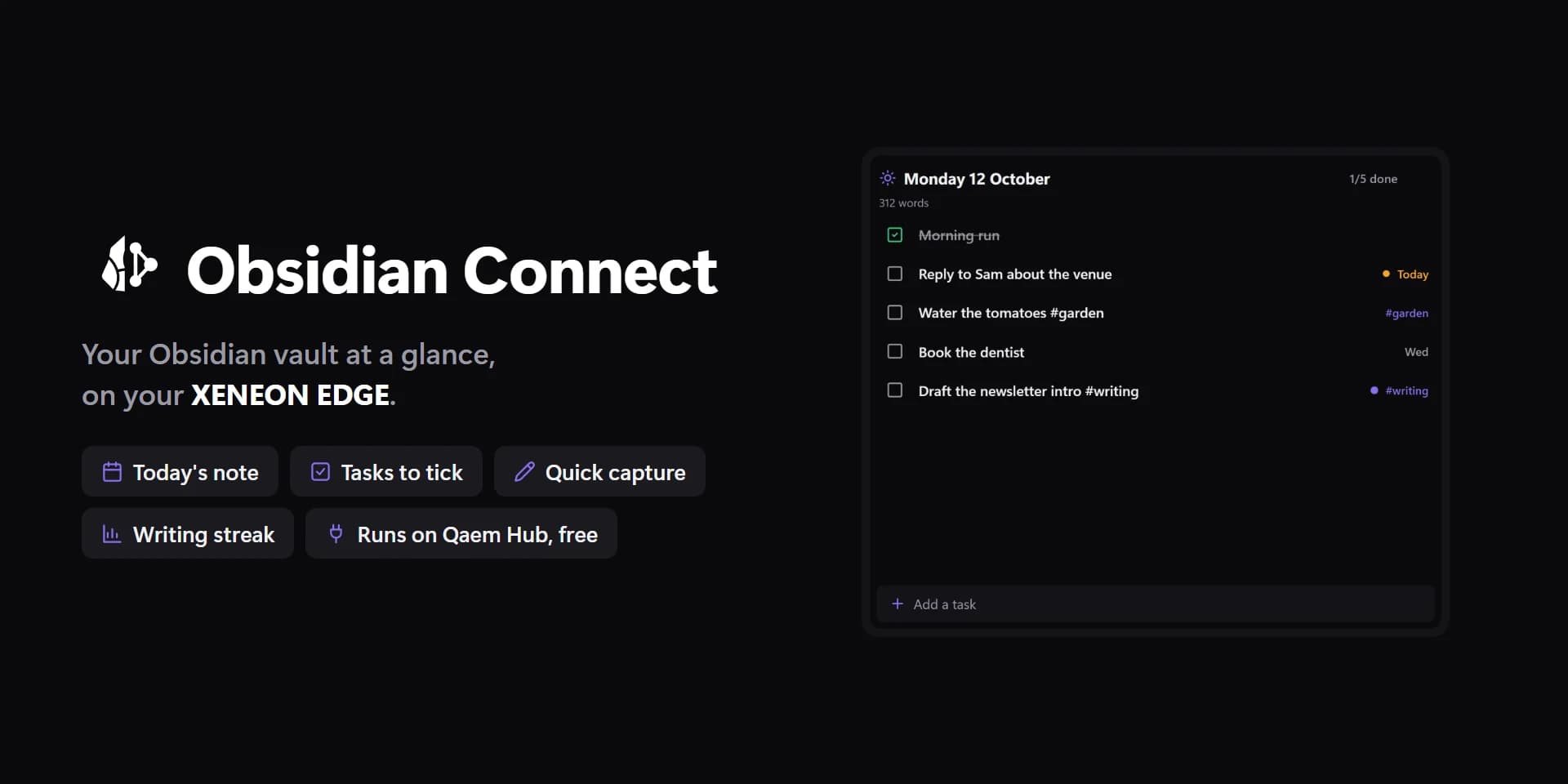
Shown at its default size, with sample data.
What you can set
- Show
- Today · Tasks · Pinned · Recent notes · Quick capture · Note preview · Stats · Tags
- Daily always shows today's note.
- Tasks from
- The whole vault · A folder · A tag · One note · Today's note
- Tag
- Nested tags count too: #work takes #work/web.
- Due
- Any time · Overdue · Today and overdue · In the next 7 days · With a date · Without a date
- Dates as the Tasks plugin writes them (📅 2026-10-12, ⏳ scheduled) or Dataview's [due:: 2026-10-12].
- Priority
- Any · Medium and up · High and up · Highest only
- 🔺 ⏫ 🔼 🔽 ⏬, or [priority:: high].
- Order
- Due date · Priority · Note, then line · Recently edited notes
- Group by
- Nothing · Due date · Note · Priority
- Paper and Focus. Change it on the tile too: tap the title.
- By
- Edited · Created
- Order
- Most used · A to Z
- Note
- Today's note · A note I pick · The first bookmark · The last one edited
- Properties
- The note's front matter at the top.
- Capture to
- Today's note · A note
- Inbox note
- Made when it isn't there.
- Under heading
- Like ## Inbox. Added at the end when the note hasn't got it.
- Add as
- Task · Bullet · Text
- Time first
- 14:05 Called the plumber.
- Quick lines
- Shown as buttons when you capture.
- Heatmap counts
- Notes edited · Notes made · Days with a daily note
- Streak
- Daily notes · Any note
- Weeks start
- As Windows · Monday · Sunday · Saturday
- Rows at most
- The rest scroll inside the tile.
- Columns
- Cards. 0 = from the tile's width.
- Row backgrounds
- Paper and Focus.
- Spacing
- Tight · Normal · Roomy
- Note font
- Georgia · Cambria · Constantia · Palatino · Book Antiqua · Times New Roman · The theme's font
- The note's heading and first lines.
- Details
- The note a task is in, a note's folder and words.
- Today's date
- As the design · Today · Oct 11 · Sunday, October 11 · Sun, Oct 11 · Sunday · 2026-10-11
- Times as
- 5m · 3h · 2d · 5 min ago · The time · The date
- Tap a row
- Tasks: tick · others: open · Open in Obsidian · Nothing
- A task's box always ticks it.
- Notes open
- In the tile · In Obsidian
- In the tile: read, tick, follow links, edit a line, change a due date. Each note can still open in Obsidian from there.
- Hold a row
- Its menu: edit, due date, delete · Open the note · Tasks: tick · Nothing
- Tap the title
- The view's own (today's note, filters, the folder) · The menu · Browse the vault · Add a task or line · Read the vault again · Nothing
- Holding the title always opens the menu: browse, search, new note, switch vault.
- Done dates
- Ticking adds ✅ and today's date, as the Tasks plugin does; unticking takes it off.
- Done
- Unset, the theme's green.
- Heatmap
- Unset, the accent.
- Tick marks
- Auto · Light · Dark · Custom
- Auto picks light or dark text from the colour, so it always reads.
- Days without notes
- Unset, a faint shade of the text colour.
- Open task boxes
- Unset, the theme's muted colour.
- Streak panel
- Unset, a faint shade of the text colour.
- Text on the panel
- Auto · Light · Dark · Custom
- Auto picks light or dark text from the colour, so it always reads.
- Tile box
- Off, the design floats on the background. On, it sits in a tile like the other widgets.
- Design
- Edited design
- Vault
- Folder
- Note
- Completed tasks too
- Hide #tags in task text
- Completed tasks
- Folder
- Leave out daily notes
- Under
- Which
- Capture bar
- Numbers
- Heatmap
- Divider lines
- Corners
- Icons
- Title
- Count
- Summary
- Dates and times
- Priority dots
- Tags on rows
- Title
- Word at the right
- Overdue
- Due today
- Tags
- Ticks and written days
- Tick marks: custom
- Today, written
- Text on the panel: custom
Parts you can restyle
Resize, recolour, change the font of, or hide each part under Customize → Layout.
- Icons
- Title
- Count
- Summary
- Rows and cards
- Checkboxes
- Names
- Details
- Dates and times
- Priority dots
- Tags
- Big number
- Stat values
- Stat labels
- Heatmap
- Note headings
- Note text
- Group headings
- Capture bar
- Buttons
- Edge fade
- Notes
Questions
Is the Spacedash Obsidian Connect widget free?
No, Obsidian Connect is a Premium widget. Spacedash itself is free; Premium is an optional one-time upgrade of $19.99, with no subscription, that adds Obsidian Connect and the other Premium widgets.
Do I need a XENEON EDGE to use the Obsidian Connect widget?
No. Spacedash runs on any monitor on Windows 10 or 11, and on the CORSAIR XENEON EDGE in Desktop Mode or, inside iCUE, in Widget Mode.
What can I change on the Obsidian Connect widget?
74 options, such as design, edited design, vault and show. They're grouped as vault, show, design, parts, words, behaviour and colours. Every widget also takes your own font, text size and look.
Can I move or hide parts of the Obsidian Connect widget?
Yes. Its parts (icons, title, count, summary, rows and cards, checkboxes, names, details, dates and times, priority dots, tags, big number, stat values, stat labels, heatmap, note headings, note text, group headings, capture bar, buttons, edge fade and notes) can each be resized, restyled or hidden under Customize → Layout.