
Notion Connect
Your Notion: a database as a list or a board with ticks and status changes, a page to read and tick, quick capture, what's due and your recent pages.
A built-in Spacedash widget for your Windows 11 or 10 desktop, at any size next to your other widgets. It works on the XENEON EDGE too. It's part of Premium, a one-time $19.99 upgrade.
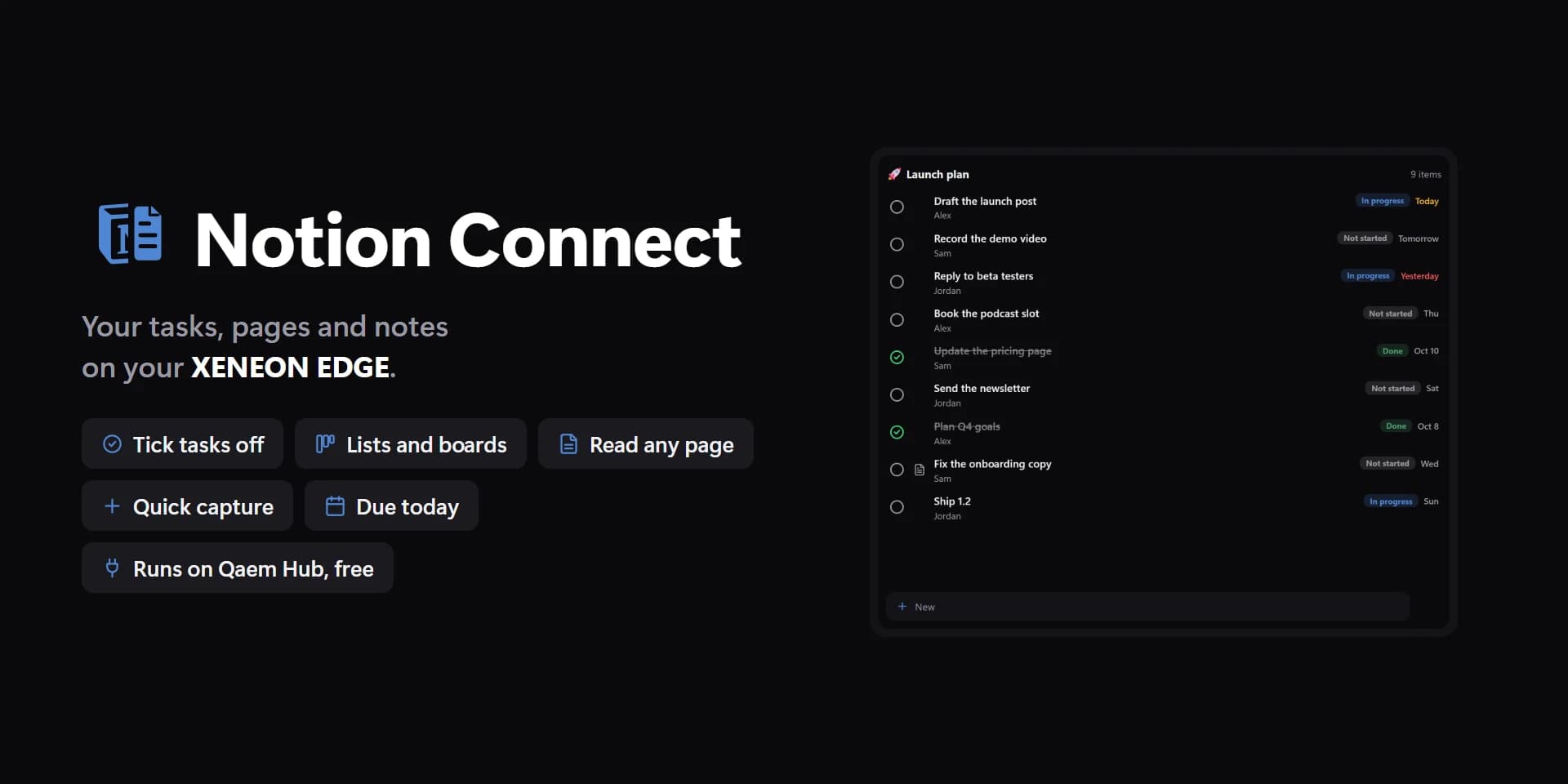
Shown at its default size, with sample data.
What you can set
- Notion account
- One sign-in for every widget that uses it, on every screen. The Integrations page lists them all.
- Shared pages
- Spacedash sees only the pages and databases you share with it.
- Show
- Database · Page · Quick capture · Due soon · Recent pages · Favourites
- Add as
- A to-do on a page · A bullet on a page · A line on a page · A row in a database
- Order
- Ascending · Descending
- Hide done
- Rows whose checkbox is ticked or whose status is in Complete.
- Board columns
- Board design: one column per option.
- Tags
- Kanban: the pill under each card's title.
- Add box
- Tap it to add a row.
- Quick presets
- One tap adds them. Also offered in the add box.
- Days ahead
- 0: today and overdue only.
- Rows at most
- The rest scroll inside the tile.
- Ticks
- Circles · Boxes
- Notion's colours
- Status and select pills in Notion's colours. Off: the theme's.
- Row backgrounds
- List.
- Spacing
- Tight · Normal · Roomy
- Mark
- The page's or database's own icon, else the mark.
- Summary
- Focus: what goes under the big item, and its progress bar.
- Icons
- Each page's emoji or picture.
- Dates as
- Today · Tomorrow · Fri · Oct 12 · In 3 d
- Open in
- The Notion app · The browser
- The Notion app when it's installed; the browser otherwise.
- Tap a row
- Open it here · Open it in Notion · Tick it · Status and more · Nothing
- Hold a row
- Status and more · Open it · Nothing
- Tap the title
- Browse here · Open in Notion · Add a row · Refresh · Nothing
- Ticks
- Focus's big tick. Unset, the accent.
- Done
- Unset, the theme's green.
- Overdue
- Unset, the theme's red.
- Cards
- Unset, a shade lighter than the tile.
- Text on cards
- Auto · Light · Dark · Custom
- Auto picks light or dark text from the colour, so it always reads.
- Tags
- Unset, a shade lighter than the card.
- Text on tags
- Auto · Light · Dark · Custom
- Auto picks light or dark text from the colour, so it always reads.
- To do dot
- Status columns not started. Cleared, Notion's colour.
- Tile box
- Off, the design floats on the background. On, it sits in a tile like the other widgets.
- Design
- Edited design
- Database
- Page
- Sort by
- Filter
- Properties
- New rows get
- Today's date on new rows
- Ticked to-dos
- Tick to-dos from the widget
- Databases
- Database rows too
- Pinned
- Divider lines
- Corners
- Title
- Count
- Ticks
- Properties
- Status pills
- Dates
- Tags
- Title
- Due today
- Text on cards: custom
- Text on tags: custom
- In progress dot
- Done dot
- Kanban ticks
Parts you can restyle
Resize, recolour, change the font of, or hide each part under Customize → Layout.
- Mark
- Title
- Count
- Summary
- Rows and cards
- Ticks
- Icons
- Titles
- Properties
- Status pills
- Dates
- Board columns
- Headings
- Page text
- Bullets
- Callouts and quotes
- Big item
- Progress bar
- Tags
- Add box
- Quick presets
- Buttons
- Edge fade
- Notes
- Browser and editors
Questions
Is the Spacedash Notion Connect widget free?
No, Notion Connect is a Premium widget. Spacedash itself is free; Premium is an optional one-time upgrade of $19.99, with no subscription, that adds Notion Connect and the other Premium widgets.
Do I need a XENEON EDGE to use the Notion Connect widget?
No. Spacedash runs on any monitor on Windows 10 or 11, and on the CORSAIR XENEON EDGE in Desktop Mode or, inside iCUE, in Widget Mode.
What can I change on the Notion Connect widget?
63 options, such as design, edited design, notion account and shared pages. They're grouped as account, show, design, parts, words, behaviour and colours. Every widget also takes your own font, text size and look.
Can I move or hide parts of the Notion Connect widget?
Yes. Its parts (mark, title, count, summary, rows and cards, ticks, icons, titles, properties, status pills, dates, board columns, headings, page text, bullets, callouts and quotes, big item, progress bar, tags, add box, quick presets, buttons, edge fade, notes and browser and editors) can each be resized, restyled or hidden under Customize → Layout.