
Github Connect
Your GitHub: notifications, pull requests with their checks, Actions runs, issues, a repository's stars and releases, your contribution graph and profile.
A built-in Spacedash widget for your Windows 11 or 10 desktop, at any size next to your other widgets. It works on the XENEON EDGE too. It's part of Premium, a one-time $19.99 upgrade.
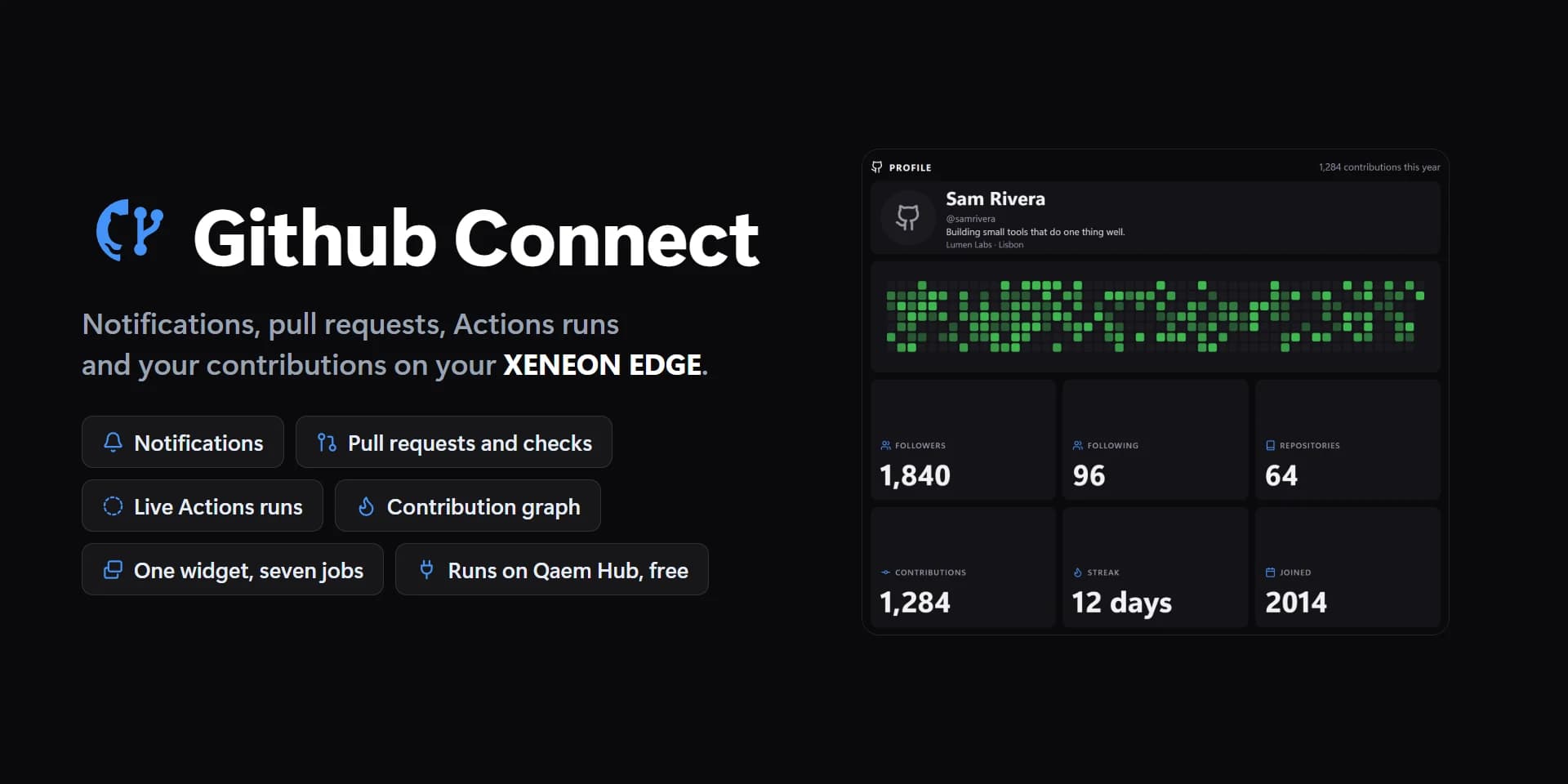
Shown at its default size, with sample data.
What you can set
- GitHub account
- One sign-in for every widget that uses it, on every screen. The Integrations page lists them all.
- Show
- Notifications · Pull requests · Actions runs · Issues · Repository · Contributions · Profile
- Repository
- The one you pushed to last
- Pull requests
- Yours and review requests · Yours · Waiting for your review · In this repository
- Only threads you're in
- Mentions, reviews asked of you, your own issues and pull requests. Off: everything you watch too.
- Kind
- Everything · Review requests · Mentions · Pull requests · Issues · CI
- Pull requests
- Yours and review requests · Yours · Waiting for your review
- Issues
- Assigned to you · Opened by you · Mentioning you
- Runs
- All · Failed · Running and queued
- Repository
- The one you pushed to last
- Big number
- Current streak · This year · This week · Today
- Glance.
- Rows at most
- Fewer show when the tile has no room for them.
- Order
- Newest first · Oldest first · By repository · Needs you first
- Row picture
- State icons · Avatars · None
- Badges
- Pill · Coloured text
- Row backgrounds
- List and Glance.
- Spacing
- Tight · Normal · Roomy
- Icons
- The GitHub mark, Glance's icon and the stats' icons.
- Summary
- Glance: 2 to review · 1 failing.
- Badges
- Review, Failing, Approved, the reason, a label.
- Times as
- 5m · 3h · 2d · 5 min ago · A date
- Repositories as
- owner/name · name
- Refresh
- Every minute · Every 2 minutes · Every 5 minutes · Every 15 minutes
- Notifications wait as long as GitHub asks (a minute). Running Actions runs check every 20 s.
- Tap a row
- Open on GitHub · Mark read (notifications) · Nothing
- Hold a row
- Mark read · re-run · open · Open on GitHub · Nothing
- Notifications are marked read, finished Actions runs re-run (failed jobs only when it failed), the rest open.
- Hold twice to re-run
- The first hold says so on the run, so a stray touch never starts one.
- Tap the title
- Open on GitHub · Refresh · Nothing
- Hold the title
- Refresh · Mark all read (notifications) · Nothing
- Passing and open
- Unset, the theme's green.
- Badge text
- Unset, each badge in its own colour.
- Text on cards
- Auto · Light · Dark · Custom
- Auto picks light or dark text from the colour, so it always reads.
- Tile box
- Off, the design floats on the background. On, it sits in a tile like the other widgets.
- Design
- Edited design
- Pull requests at most
- Workflow
- Read ones too
- Drafts
- Repositories
- Branch
- Divider lines
- Corners
- Title
- Count
- Repository
- Number (#123)
- Time
- Unread dots
- Avatar and name
- Bio and description
- Contribution graph
- Stats
- Contribution graph
- Streak
- Actions line
- Title
- Opening marks it read
- Failing
- Running and changes asked
- Unread
- Contribution graph
- Cards
- Text on cards: custom
- GitHub mark tile
- Graph: none
- Graph: a few
- Graph: some
- Graph: many
- Graph: the most
- Checks passed
- Checks running
- Checks failing
- Run passed
- Run in progress
- Run failed
- Progress track
Parts you can restyle
Resize, recolour, change the font of, or hide each part under Customize → Layout.
- GitHub mark
- Title
- Count
- Summary
- Rows and cards
- State icons
- Avatars
- Unread dots
- Titles
- Repository and number
- Times
- Badges
- Name
- Bio and description
- Stat values
- Stat labels
- Contribution graph
- Buttons
- Edge fade
- Messages
- Actions line
Questions
Is the Spacedash Github Connect widget free?
No, Github Connect is a Premium widget. Spacedash itself is free; Premium is an optional one-time upgrade of $19.99, with no subscription, that adds Github Connect and the other Premium widgets.
Do I need a XENEON EDGE to use the Github Connect widget?
No. Spacedash runs on any monitor on Windows 10 or 11, and on the CORSAIR XENEON EDGE in Desktop Mode or, inside iCUE, in Widget Mode.
What can I change on the Github Connect widget?
76 options, such as design, edited design, github account and show. They're grouped as account, show, design, parts, words, behaviour and colours. Every widget also takes your own font, text size and look.
Can I move or hide parts of the Github Connect widget?
Yes. Its parts (github mark, title, count, summary, rows and cards, state icons, avatars, unread dots, titles, repository and number, times, badges, name, bio and description, stat values, stat labels, contribution graph, buttons, edge fade, messages and actions line) can each be resized, restyled or hidden under Customize → Layout.