
Football
Live scores, fixtures, results and tables from leagues around the world. Follow your teams, bookmark matches, get goal alerts.
A built-in Spacedash widget for your Windows 11 or 10 desktop, at any size next to your other widgets. It works on the XENEON EDGE too. It's part of Premium, a one-time $19.99 upgrade.
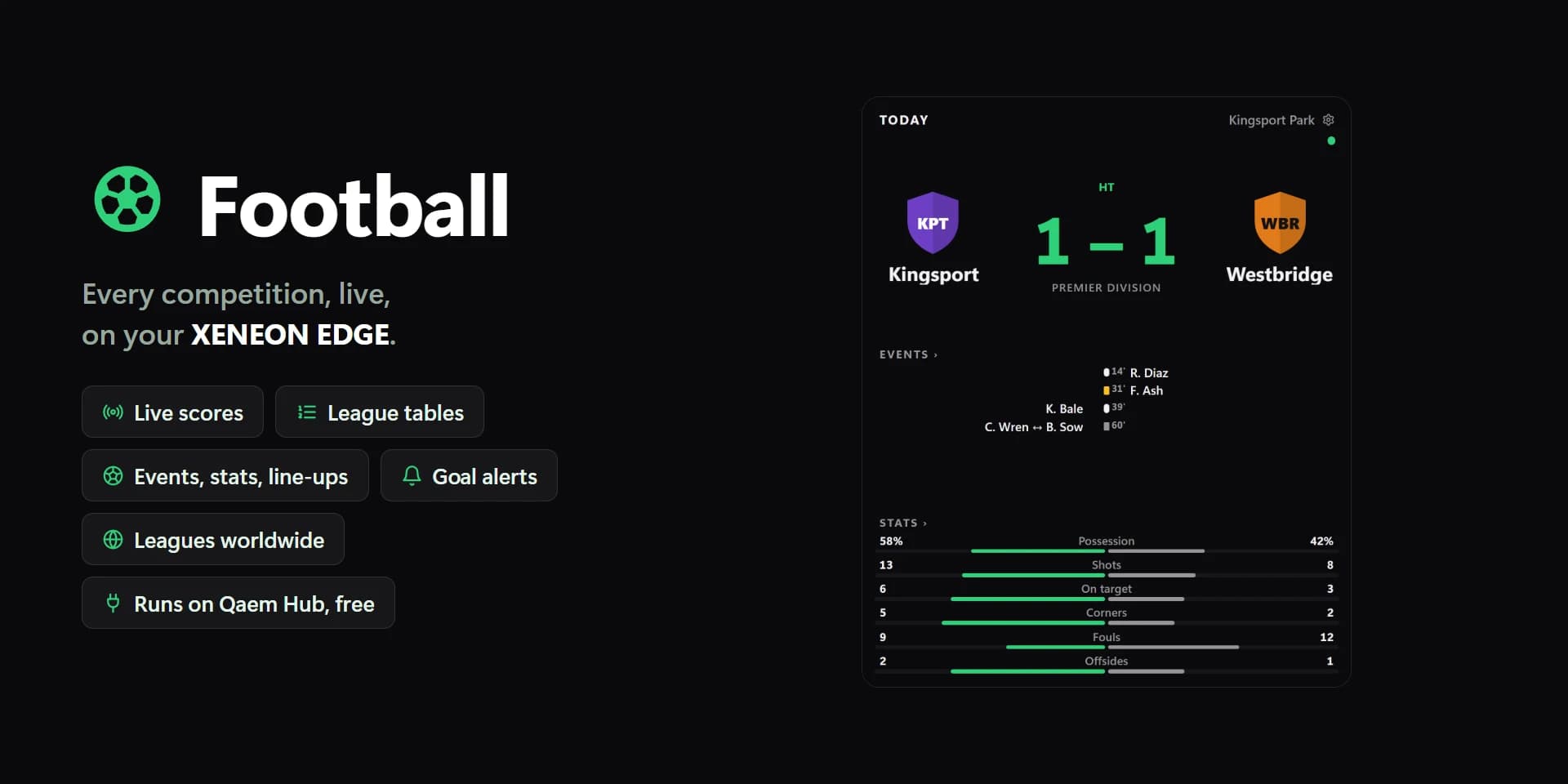
Shown at its default size, with sample data.
What you can set
- Show
- Live now · Fixtures and results · My team · League table · One match · Bookmarks
- Competitions
- Mine (teams and competitions I follow) · Every competition
- Every competition is a lot of matches on a weekend; Mine shows the ones you follow.
- Fill with today's other matches
- Live ones first, then today's to come, then today's results.
- Day
- Yesterday · Today · Tomorrow
- The arrows on the tile move from here.
- Order
- By competition · By time · Live first
- Team
- The first I follow
- Competition
- The first I follow
- Rows shown
- Round my team · From the top
- When the tile can't show the whole table.
- Figures
- Points · Usual · All
- Match
- Featured (live, next, last)
- Sections
- All that fit · Events · Stats · Line-ups
- Matches shown at most
- Fewer show when the tile has no room for them.
- Goal scorers
- Under each match when the tile has room.
- Table zones
- Champions League, relegation… as the competition marks them.
- Team names
- Short · Full · ABC
- Kick-off times
- This PC's · 24-hour · 12-hour
- Spacing
- Tight · Normal · Roomy
- Tap a match
- Open it · Bookmark · Nothing
- Open shows its events, stats and line-ups in the tile; Back returns.
- Hold a match
- Bookmark · Nothing
- Holding a team in a table follows it.
- Live
- Unset, the widget's accent.
- Text on rows
- Auto · Light · Dark · Custom
- Auto picks light or dark text from the row colour, so it always reads. Winner's name above still wins.
- Tile box
- Off, the design floats on the background. On, it sits in a tile like the other widgets.
- Design
- Edited design
- Teams and competitions you follow
- My teams' next match too
- Crests
- Minute and status
- Red cards
- Competition names
- Bookmark marks
- Form
- Title
- Date and count
- Day arrows
- Title
- Corners
- Alerts
- Winner's name
- Bookmarks and my team
- Rows and panels
- Text on rows: custom
Parts you can restyle
Resize, recolour, change the font of, or hide each part under Customize → Layout.
- Crests
- Team names
- Scores
- Minute and status
- Kick-off times
- Competitions
- Goals and cards
- Bookmark marks
- Title
- Date and count
- Day arrows and Back
- Rows and panels
- Positions and zones
- Table figures and stats
- Points
- Form
- Stat bars
- Line-ups
- Edge fade
- Messages
Questions
Is the Spacedash Football widget free?
No, Football is a Premium widget. Spacedash itself is free; Premium is an optional one-time upgrade of $19.99, with no subscription, that adds Football and the other Premium widgets.
Do I need a XENEON EDGE to use the Football widget?
No. Spacedash runs on any monitor on Windows 10 or 11, and on the CORSAIR XENEON EDGE in Desktop Mode or, inside iCUE, in Widget Mode.
What can I change on the Football widget?
42 options, such as design, edited design, show and teams and competitions you follow. They're grouped as design, matches, show, words, behaviour and colours. Every widget also takes your own font, text size and look.
Can I move or hide parts of the Football widget?
Yes. Its parts (crests, team names, scores, minute and status, kick-off times, competitions, goals and cards, bookmark marks, title, date and count, day arrows and back, rows and panels, positions and zones, table figures and stats, points, form, stat bars, line-ups, edge fade and messages) can each be resized, restyled or hidden under Customize → Layout.