
Spacedash on your Stream Deck
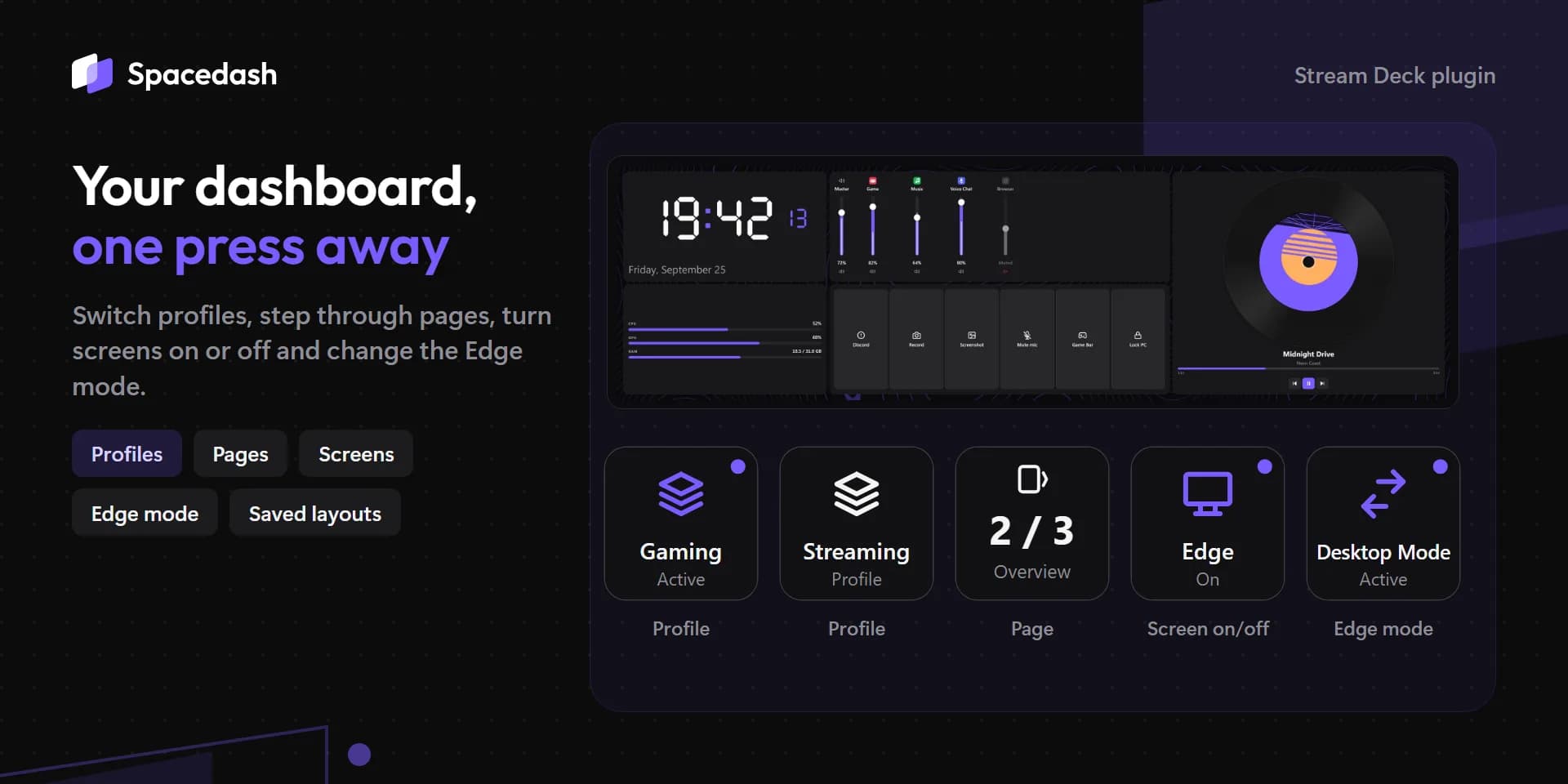
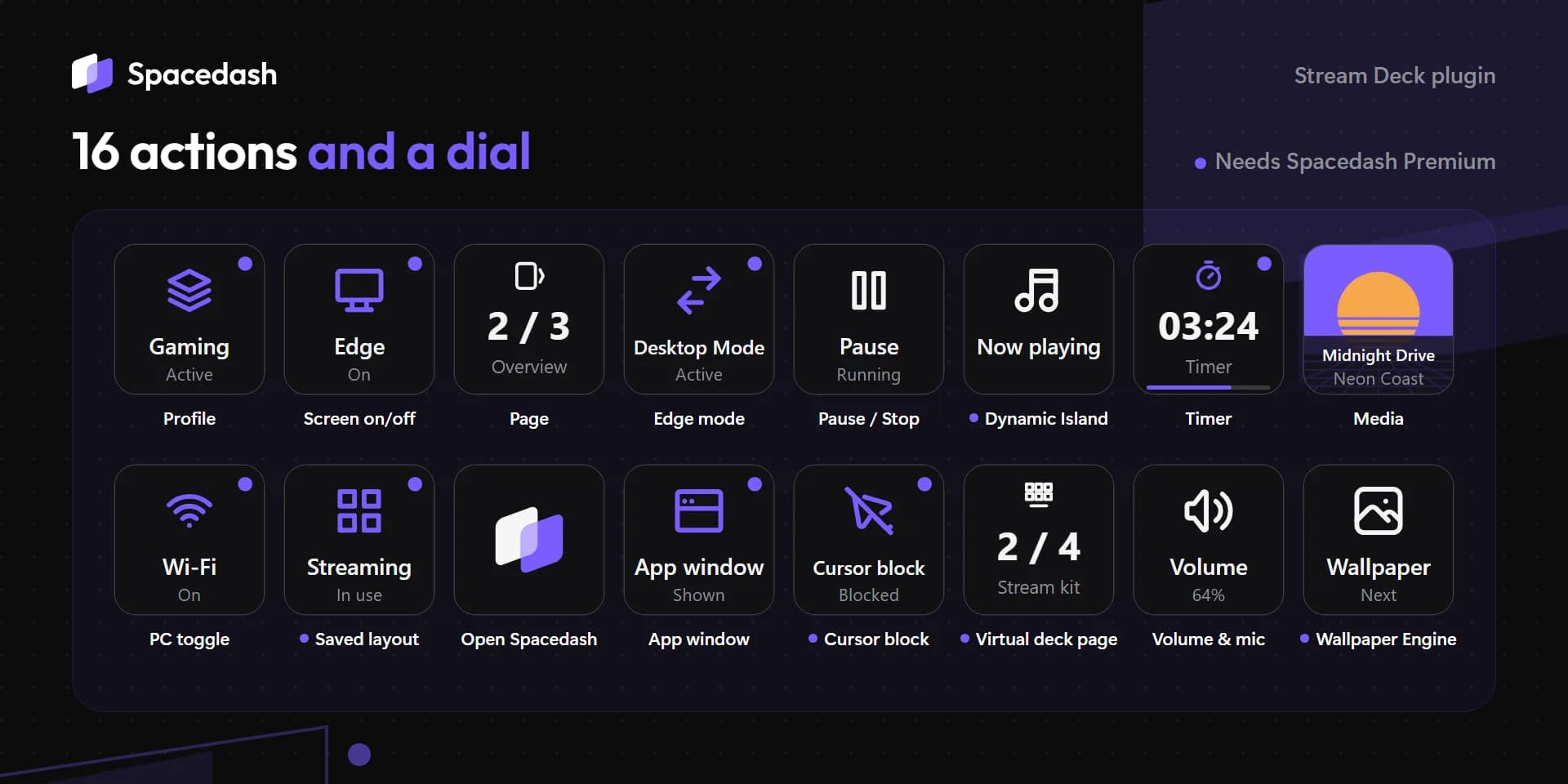
Switch profiles, step through pages, turn screens on and off, open the Dynamic Island, run a timer and play music from your Stream Deck. Every key shows what is happening right now: the active profile, the page you are on, a countdown as it runs, the song that is playing with its cover. When Spacedash isn't running, the keys say so, and a press starts it.
Free. Needs the Spacedash app on the same PC. Open the downloaded file and Stream Deck installs it.
The plugin
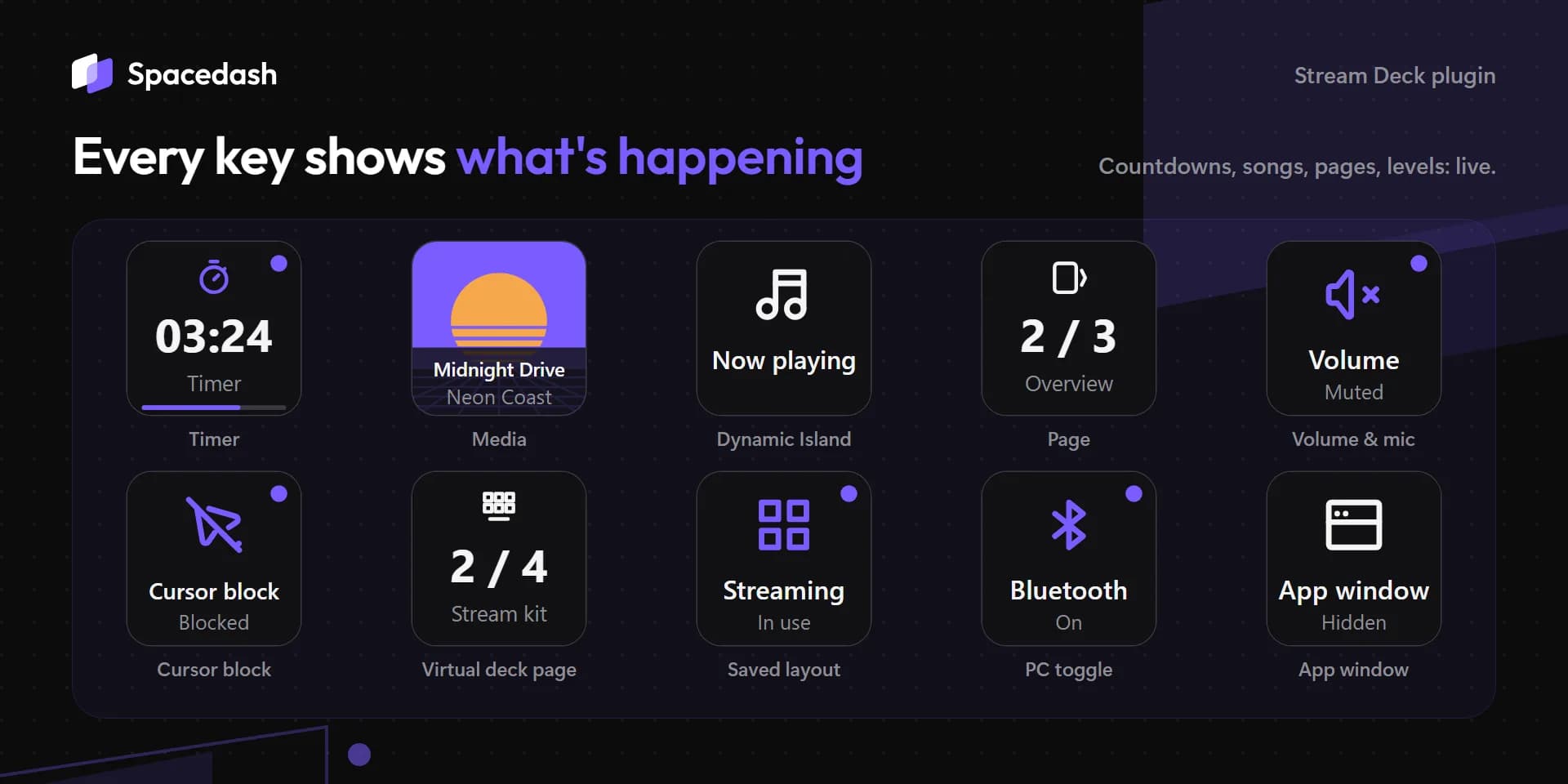
Every key shows what's happening now
The active profile, the page you're on, a countdown as it runs, the song with its cover. Press a key and Spacedash answers.
Your dashboard
Profiles
Switch to a profile, or the next or previous one. The active one is marked.
Pages
Next, previous or a numbered page on any screen, with the page's name on the key.
Screens
Turn Spacedash on or off on the XENEON EDGE or a monitor, or hide every screen at once.
Edge mode
Auto, Desktop Mode, Widget Mode or off.
Pause and stop
Pause or stop the dashboards, and resume them.
Saved layout
PremiumPut a saved layout on the active profile, or on one monitor.
On the screen
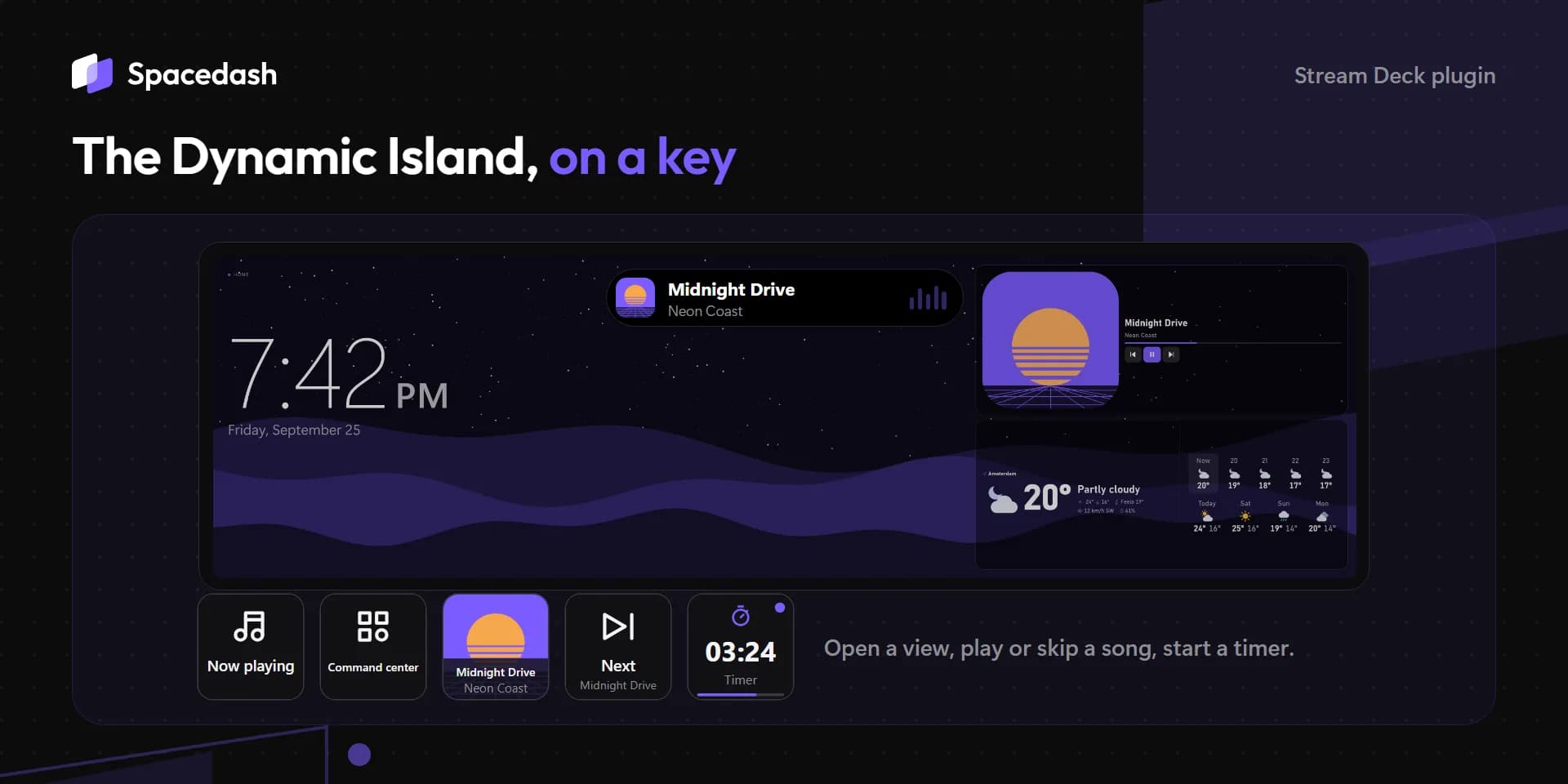
Dynamic Island
PremiumOpen, close or toggle it, on a view such as Command center, Now playing or Timers.
Timer
Start, pause or reset a Timer widget, with the countdown and a bar on the key.
Media
Play, pause, next and previous, with the title, artist and cover art.
Volume and mic
Mute the speakers or the mic, or nudge either up or down.
Virtual deck page
PremiumNext, previous or a numbered page of Spacedash's Virtual Stream Deck.
Wallpaper Engine
PremiumNext wallpaper, play, pause, mute and unmute.
Your PC
PC toggles
Wi-Fi, Bluetooth and Keep awake.
Cursor block
PremiumKeep the cursor off the XENEON EDGE, or let it move freely again.
App window
Show or hide the Spacedash window, or open it on a page: Settings, Widgets, Layout and more.
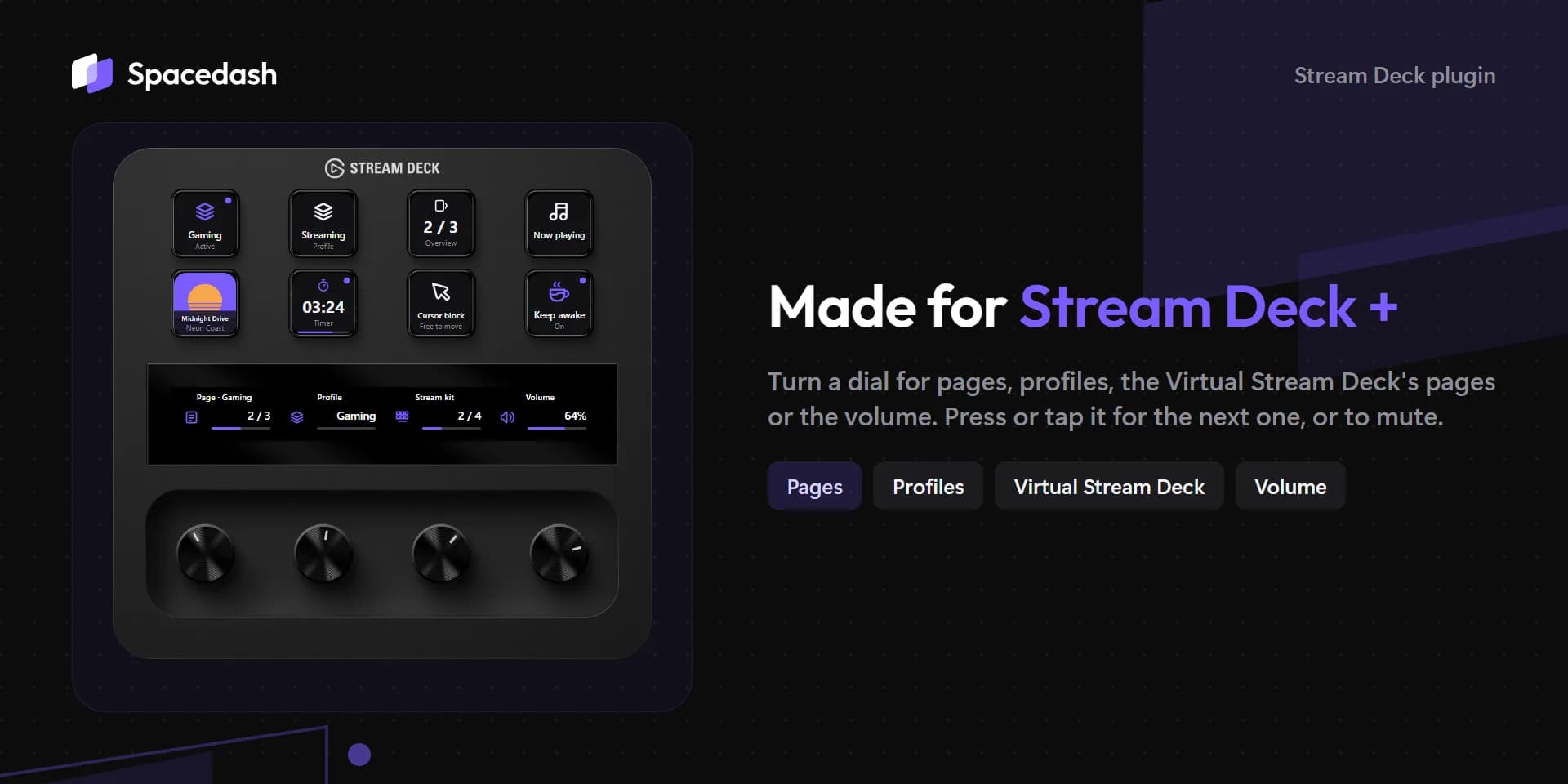
Stream Deck +
Dials
Turn for pages, profiles, the Virtual Stream Deck's pages or the volume. Press or tap for the next profile, the next page, the deck's next page or mute. The touch strip shows the name, the value and a bar.
Premium keys need Spacedash Premium. On the Free plan they say “Premium”; the plugin itself is always free.
What you need
- Spacedash for Windows, running on the same PC
- Stream Deck 6.9 or newer, on Windows 10 or 11
- Works with every Stream Deck, Stream Deck + dials included
The plugin talks only to Spacedash on your own PC. Nothing is sent anywhere else. Spacedash is the new name of EdgeOS, and the plugin works with both.
Get the plugin
Download it here and open the file. Don't have Spacedash yet? Install that first.
Also built in
More ways Spacedash works with Stream Deck
Controls widget
The plugin's controls as a widget on your dashboard: profiles, pages, screens, Edge mode, pause, the Island, timers, media, volume and PC toggles. Click or tap them on a monitor or the XENEON EDGE, with no Stream Deck needed. The Island, Cursor block, Virtual deck, Saved layout and Wallpaper Engine controls show “Premium” on the Free plan.
In Spacedash: Widgets, Essentials, Spacedash Controls.
Virtual Stream Deck
Spacedash shows up as a device in the Elgato Stream Deck app. Put a profile on it, and the Virtual Stream Deck widget shows that deck's live keys in a grid you size, on a monitor or the XENEON EDGE. A click or a tap sends the key press.
In Spacedash: Widgets, Productivity, Virtual Stream Deck. Needs the Elgato Stream Deck app.
Questions
Stream Deck and Spacedash
Is there a Spacedash plugin for Stream Deck?
Yes. The Spacedash Stream Deck plugin is free. It controls Spacedash from your keys and dials: profiles, pages, screens, Edge mode, pause and stop, the Dynamic Island, timers, media, volume and mic, Wi-Fi, Bluetooth and Keep awake, saved layouts, the app window, the Cursor block, Virtual Stream Deck pages and Wallpaper Engine. Download it on the Stream Deck page.
Which Stream Deck keys need Spacedash Premium?
Dynamic Island, Saved layout, Cursor block, Virtual deck page and Wallpaper Engine. The plugin itself is free, and on the Free plan those keys say “Premium”. Everything else works on Free.
What do I need to use the Spacedash Stream Deck plugin?
Spacedash for Windows running on the same PC, and Stream Deck 6.9 or newer on Windows 10 or 11. It works with every Stream Deck, and a Stream Deck + adds dials. The plugin talks only to Spacedash on your own PC; nothing is sent anywhere else.
Does the Stream Deck plugin work with EdgeOS?
Yes. Spacedash is the new name of EdgeOS, and the plugin works with both.
More in the FAQ, or ask on the support page.
Spacedash, on every key.
Free for Windows 11 and 10. No account needed.