
Twitch Actions
One-tap clip, marker, ads, chat modes, Shield Mode, raids and more.
A built-in Spacedash widget for your Windows 11 or 10 desktop, at any size next to your other widgets. It works on the XENEON EDGE too. It's part of Premium, a one-time $19.99 upgrade.
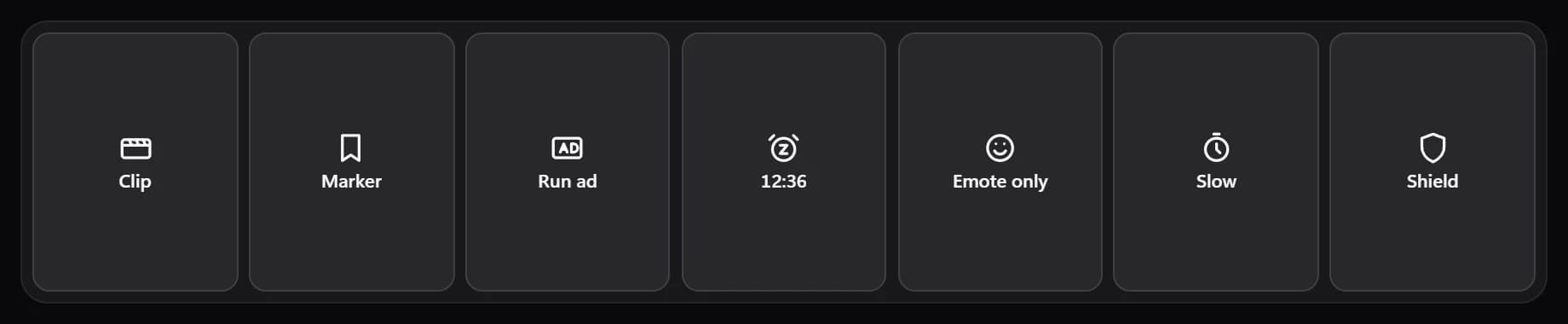
Shown at its default size, with sample data.
What you can set
- Twitch account
- One sign-in for every Twitch widget, on every screen.
- Button labels
- Below · Beside · Hidden
- Arrangement
- Auto · One row · Grid
- One row squeezes every button into a single line; Grid and Auto wrap them onto more rows, which scroll up and down when there are more than fit.
- Tap twice to confirm
- Ads, raids, Shield Mode and Clear chat ask for a second tap, so a stray touch never starts an ad.
- Buttons
Parts you can restyle
Resize, recolour, change the font of, or hide each part under Customize → Layout.
- Buttons
- Result message
- Sign-in card
Questions
Is the Spacedash Twitch Actions widget free?
No, Twitch Actions is a Premium widget. Spacedash itself is free; Premium is an optional one-time upgrade of $19.99, with no subscription, that adds Twitch Actions and the other Premium widgets.
Do I need a XENEON EDGE to use the Twitch Actions widget?
No. Spacedash runs on any monitor on Windows 10 or 11, and on the CORSAIR XENEON EDGE in Desktop Mode or, inside iCUE, in Widget Mode.
What can I change on the Twitch Actions widget?
5 options, such as twitch account, buttons, button labels and arrangement. They're grouped as account and buttons. Every widget also takes your own font, text size and look.
Can I move or hide parts of the Twitch Actions widget?
Yes. Its parts (buttons, result message and sign-in card) can each be resized, restyled or hidden under Customize → Layout.