
Playnite Library
Your Playnite library: covers, playtime, favorites and what's running. Tap a game to play it through Playnite.
A built-in Spacedash widget for your Windows 11 or 10 desktop, at any size next to your other widgets. It works on the XENEON EDGE too. It's part of Premium, a one-time $19.99 upgrade.
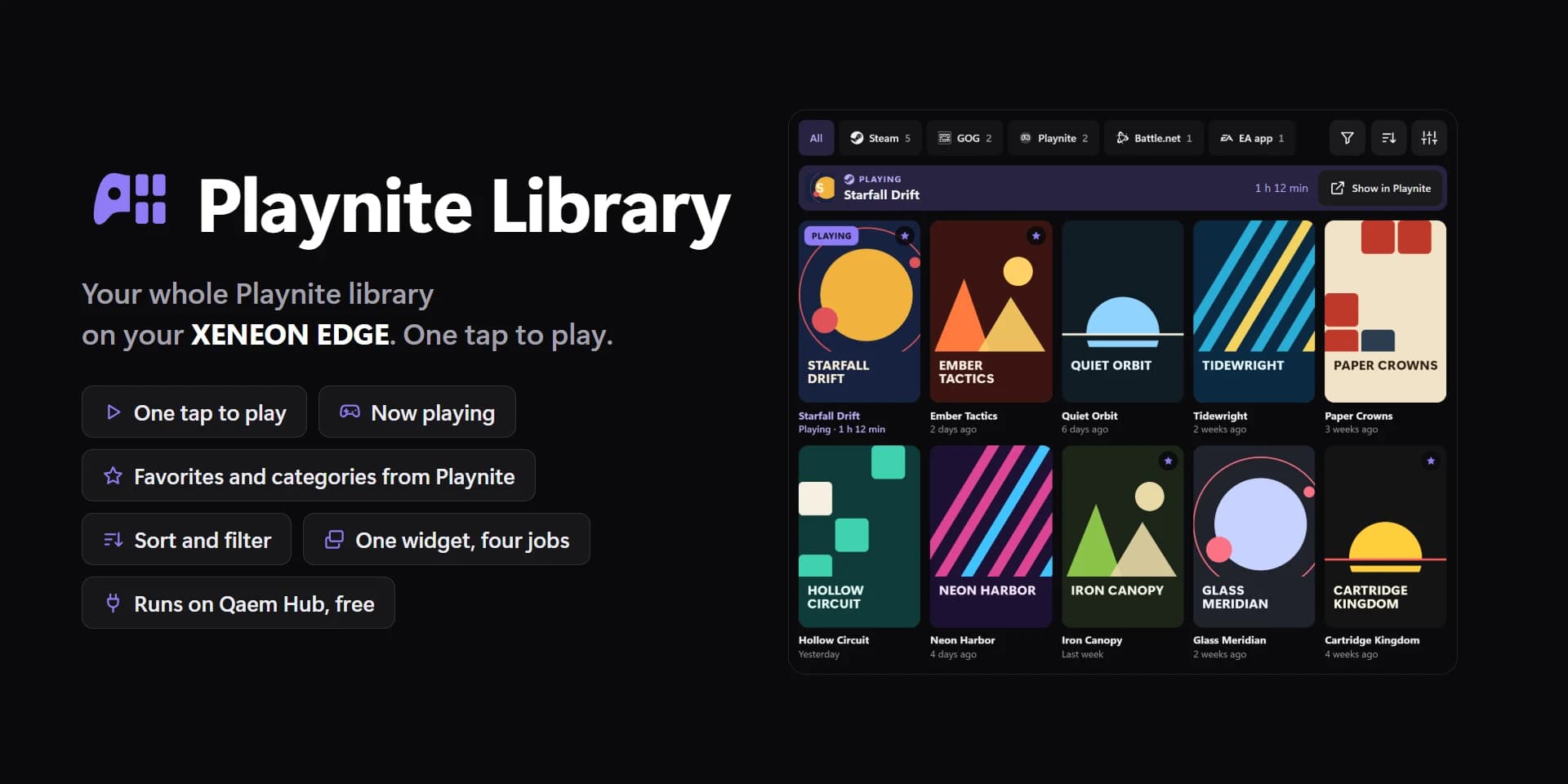
Shown at its default size, with sample data.
What you can set
- Art
- Covers · Backgrounds · Icons
- Which of Playnite's pictures the covers show (Shelf, Now and Spotlight's covers). Spotlight's large picture is the background either way.
- Spotlight's large game
- Left · Right
- Which side the large game sits on; the covers fill the rest.
- Darken the art
- Spotlight: how dark the art gets behind its words. 0 shows it as it is.
- Line the covers up
- Left · Centre · Right
- Shelf, when they don't fill the tile.
- Spacing
- Tight · Normal · Roomy
- Order
- Recently played · Favorites · Most played · Most launched · Recently added · Newest release · Highest rated · Name
- Games shown at most
- The rest scroll when the tile has no room for them.
- Source
- Every source
- Platform
- Every platform
- Category, genre or tag
- Every game
- Completion
- Any
- Installed
- All · Installed · Not installed
- The game you're playing first
- And featured in Spotlight and Now while it runs.
- Icons
- Ledger's rows and Now's small picture.
- Names under the covers
- Shelf. A game without art always shows its name.
- Time this session
- While a game runs, its last-played line says for how long.
- Banner (Now playing, Continue…)
- The small line above the featured game's name. Its words are under Words.
- Play button
- Spotlight. Tapping the art plays too.
- Playtime bars
- Ledger.
- Playtime as
- 12.5 h · 12 h 30 min · 13 h
- Last played as
- 3 days ago · A date
- Names
- As in Playnite · CAPITALS
- Tap a game
- Play · Show in Playnite
- Hold a game
- Show in Playnite · Play · Nothing
- Offer the Playnite extension
- Live updates while Playnite is open. Without it, the library updates when Playnite closes.
- Tap twice to play
- The first tap says Tap again on the game, so a stray touch never starts anything.
- Play button
- Unset, the widget's accent.
- Tile box
- Off, the design floats on the background. On, it sits in a tile like the other widgets.
- Design
- Edited design
- Corners
- Only favorites
- Hide games never played
- Covers and art
- Playtime
- Last played
- Source (Steam, GOG…)
- Title
- Number of games
- Title
- Banner while playing
- Banner, played before
- Banner, never played
- Play button text
- Playing now
- Playtime bars
- Games that aren't installed
Parts you can restyle
Resize, recolour, change the font of, or hide each part under Customize → Layout.
- Covers and art
- Icons
- Names
- Playtime
- Last played
- Source
- Now playing
- Title
- Count and total
- Playtime bars
- Buttons
- Arrows
- Edge fade
- Messages
Questions
Is the Spacedash Playnite Library widget free?
No, Playnite Library is a Premium widget. Spacedash itself is free; Premium is an optional one-time upgrade of $19.99, with no subscription, that adds Playnite Library and the other Premium widgets.
Do I need a XENEON EDGE to use the Playnite Library widget?
No. Spacedash runs on any monitor on Windows 10 or 11, and on the CORSAIR XENEON EDGE in Desktop Mode or, inside iCUE, in Widget Mode.
What can I change on the Playnite Library widget?
47 options, such as design, edited design, art and spotlight's large game. They're grouped as design, games, show, words, tap, colours and playnite. Every widget also takes your own font, text size and look.
Can I move or hide parts of the Playnite Library widget?
Yes. Its parts (covers and art, icons, names, playtime, last played, source, now playing, title, count and total, playtime bars, buttons, arrows, edge fade and messages) can each be resized, restyled or hidden under Customize → Layout.